Open the app and click on “Members chats” on the menu.
.png?width=320&height=759&name=Pro+Home+(2).png)
Use the search bar to find the user you would like to call.
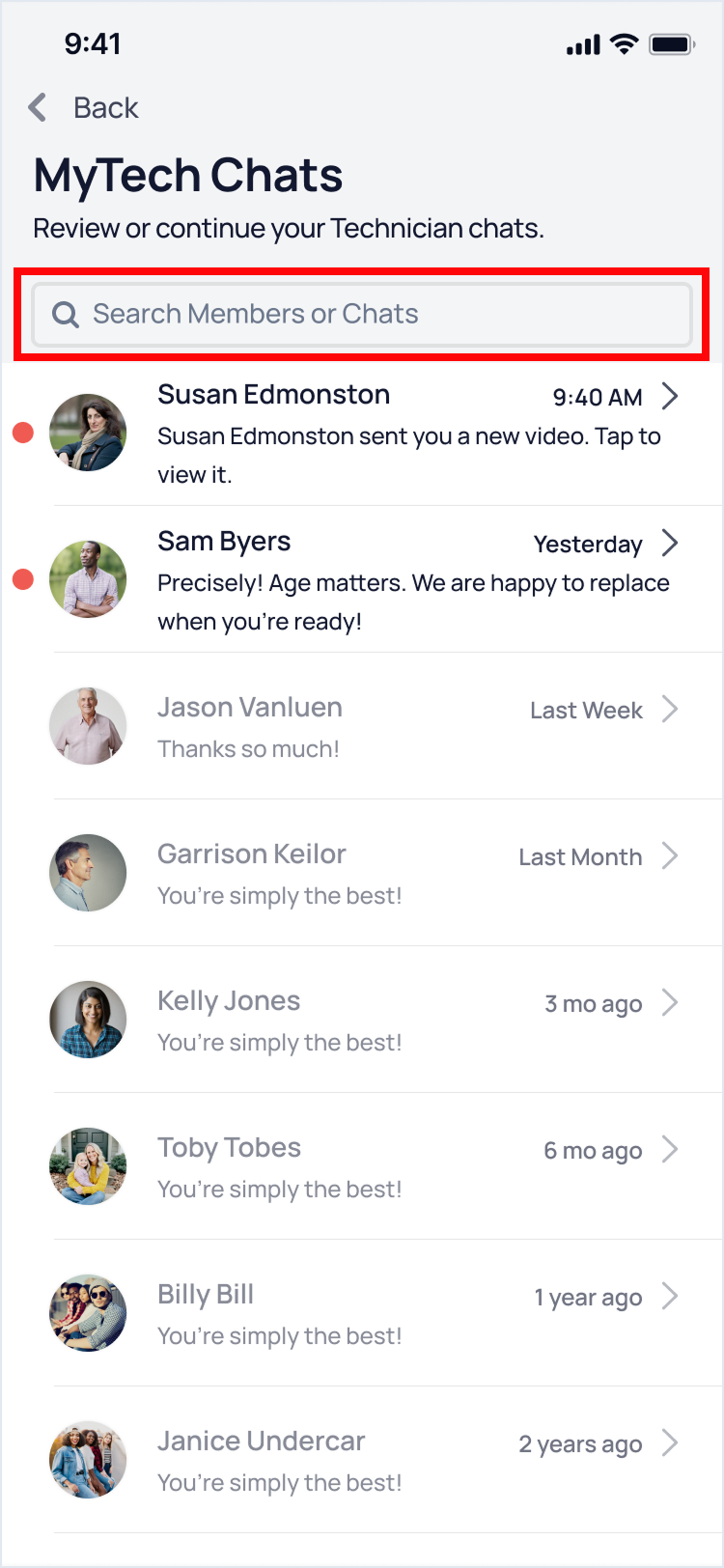
Once you find it, click on the “+” icon
At the top of the screen, click on "Video Call."
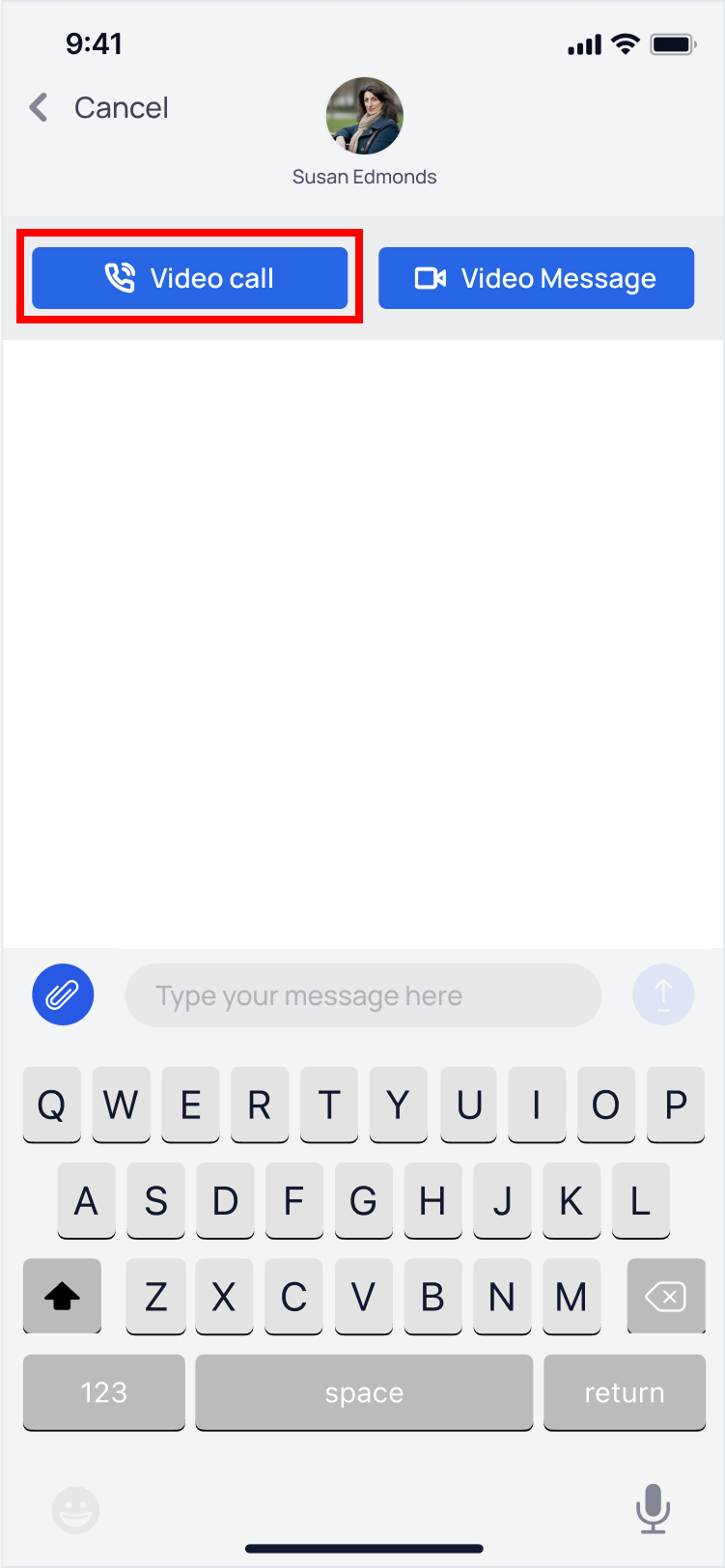
The member will get a notification of an “Incoming Video Call”, they can answer the call or reject it.

English - United States
