Login to your Noc.smartac.com account
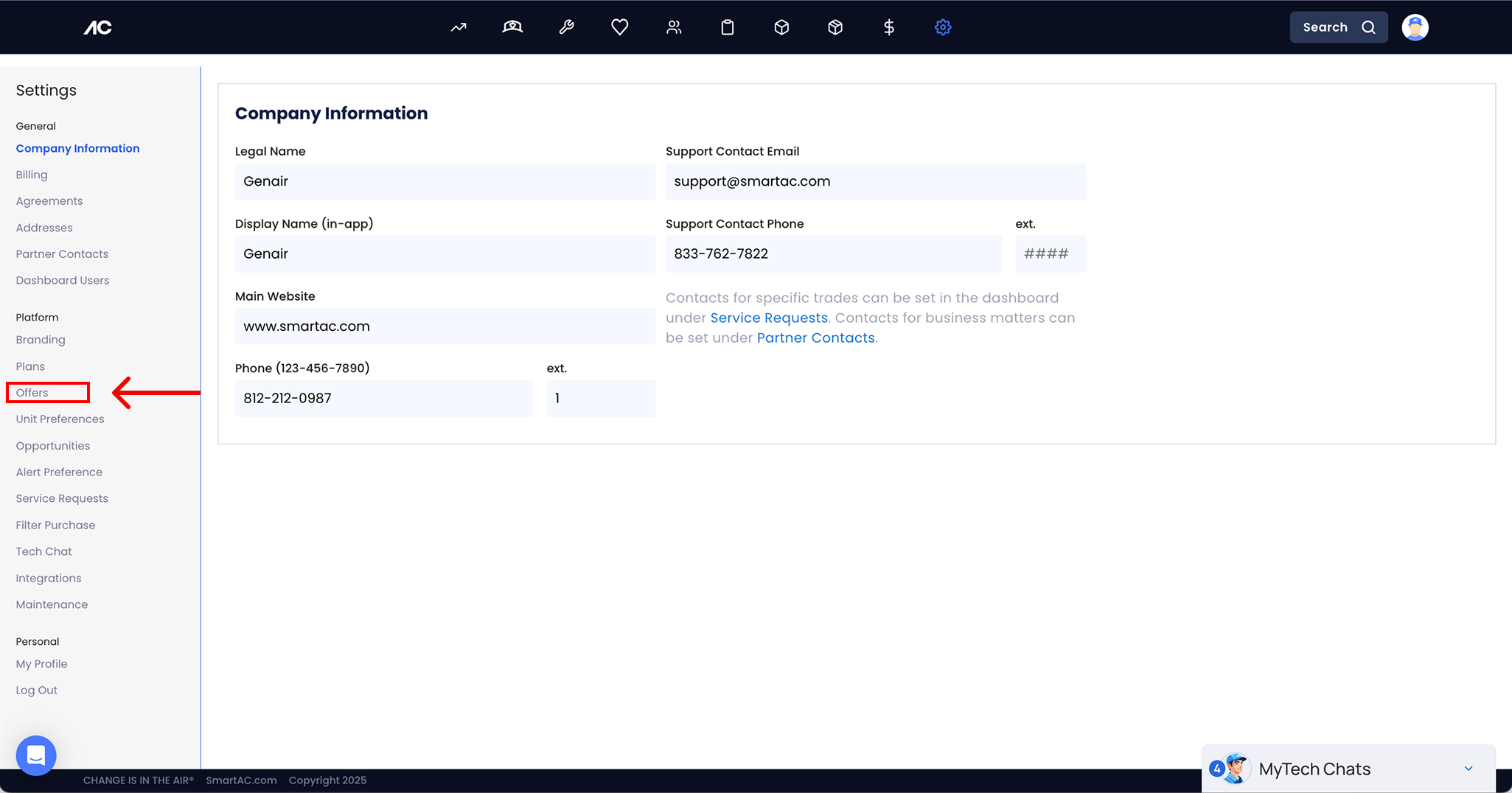
Click on “settings”

Then go to the offers section
Go to the “inactive” tab
On the “inactive” tab you can find the deactivated promos, If you would like to reactivate them, click on the edit icon

Login to your Noc.smartac.com account
Click on “settings”
Then go to the offers section
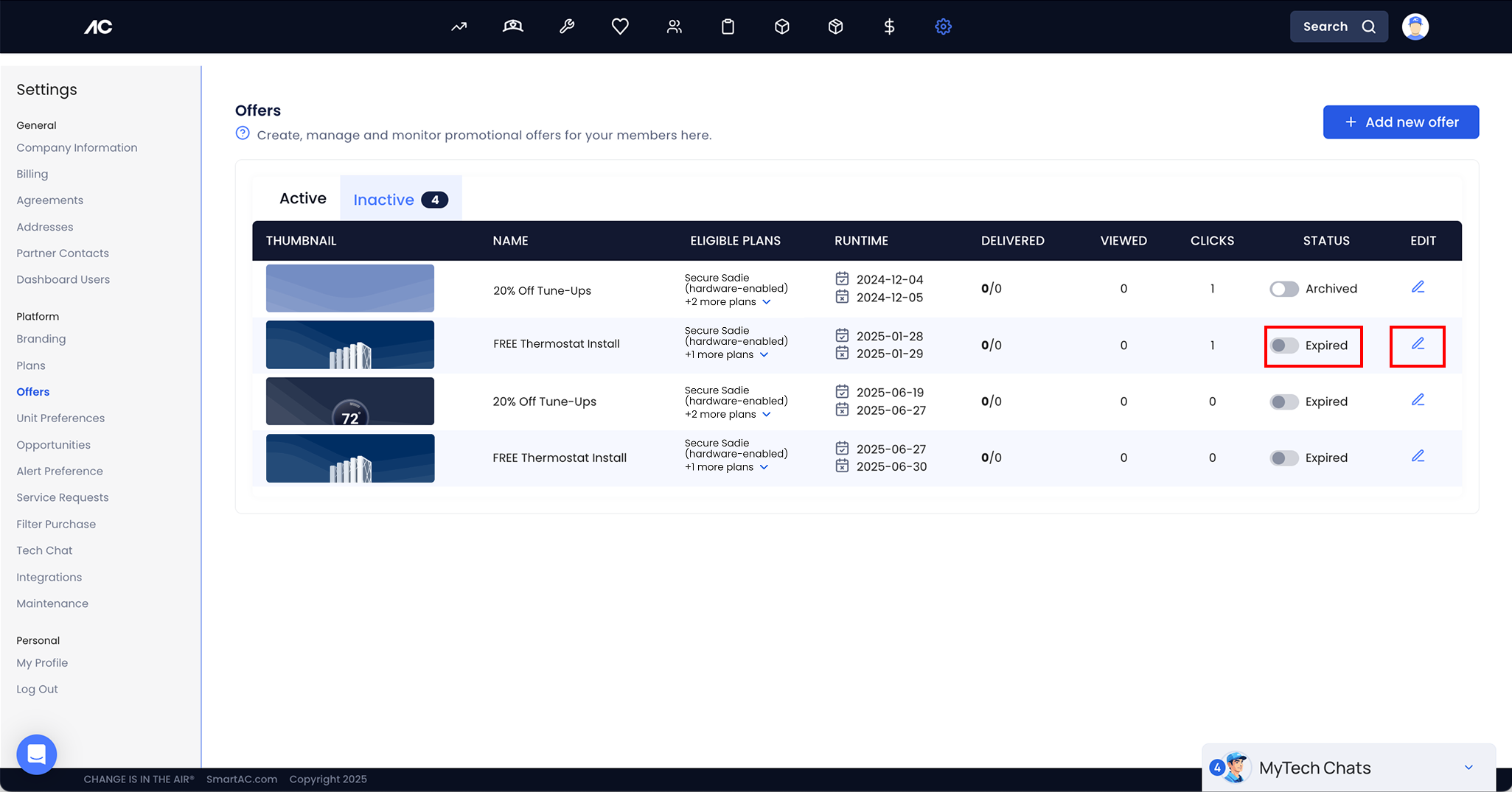
Go to the “inactive” tab
On the “inactive” tab you can find the deactivated promos, If you would like to reactivate them, click on the edit icon